

Behind every spectacular scene in a film or commercial is often the process of compositing - the art of combining multiple visual layers (live action, CGI, special effects) into one coherent, convincing image. It is compositing that makes actors able to fly, cities destroyed by monsters and advertising products look perfect. In this article, we will explain what compositing is, how it works and why it is crucial in modern video production.
What is Compositing?
Compositing (composition, assembling) is the process of combining multiple visual elements from different sources into one final image or video sequence. These elements can come from:
- Live action material (camera recordings)
- 3D animation
- 2D and motion graphics
- Special effects (particles, fire, smoke)
- Stock video and photos
- Green/blue screen (keying)
The aim of compositing is to make all these elements look as if they exist in the same reality, with the same lighting, perspective and atmosphere.
History of Compositing
Compositing has a long history dating back to the early days of cinema. The first techniques included:
Double exposure - Superimposing two shots onto one film.
Matte painting - Painting a background on glass that was placed in front of the camera to extend the scenery.
Optical compositing - Physically combining footage using special projectors and cameras.
The real revolution has come in the digital age. Today, compositing is done entirely in the computer, which gives infinitely more possibilities and control.
Key Compositing Techniques
Compositing uses many techniques to achieve a convincing effect:
Keying (background removal) - The most well-known technique, which is the removal of a green or blue background (green/blue screen) and replacing it with another image or animation. Requires care to ensure that the edges of the subject are natural and that the background colour does not reflect on the actor.
Rotoscoping - Manually „cutting” an object or person from the background frame by frame. Very time consuming, but essential when there is no green screen.
Tracking and match-moving - Analysing camera movement in live action and recreating this movement in 3D space to accurately integrate CGI elements. This ensures that the 3D object moves with the camera.
Colour grading and colour correction - Adjusting the colours of all elements to match. If the live action has a warm orange light, the 3D element must also have this tonality.
Light wrapping and light integration - Simulating the way light from the background reflects on the foreground object. Makes the element look as if it is really in the scene.
Blur and depth of field - Adding blur at appropriate points to simulate the depth of field of the camera.
Grain matching - Adjusting the grain of film or digital noise so that all elements have the same „texture” of the image.
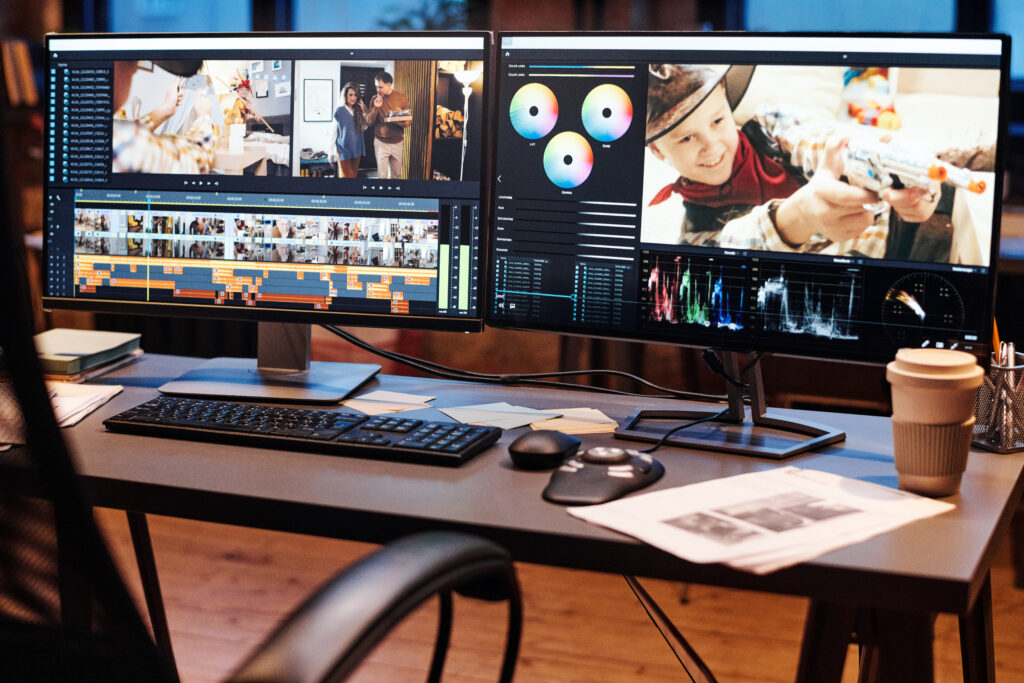
Compositing software
Professional compositors use specialised software:
Adobe After Effects - The most popular tool for compositing and motion graphics. Intuitive, with a huge plugin base. Ideal for advertising and motion design projects.
Nuke - The standard in the VFX (special effects) film industry. Node-based workflow (working with nodes) gives greater control and flexibility with complex projects. Used in films such as Avengers, Game of Thrones.
Fusion (in DaVinci Resolve) - A powerful tool with a node-based workflow, free in the basic version.
Blackmagic Fusion Studio - Standalone version of Fusion for more advanced applications.
Natron - A free, open-source alternative to Nuke.
Applications of Compositing
Compositing is everywhere in modern video production:
Films and series - Virtually every scene in a contemporary Hollywood film goes through compositing. From subtle tweaks (removing cables, contemporary elements in a historical film) to full CGI scenes.
Commercials - Products are often shot in the studio on green screen and then placed in ideal, digitally created environments.
Corporate video - Adding graphics, animated elements to live action footage, replacing the background behind the presenter.
Music videos - Artistic and surreal visual effects are created through compositing.
Product presentations - Combining product footage with 3D animations explaining how the product works.
Compositing workflow
A professional compositing process usually looks like this:
Material preparation - Arranging all elements: footage, 3D renders, graphics. Often in image sequence formats (EXR, PNG sequence) instead of video to maintain maximum quality.
Keying/rotoscoping - Cutting out foreground elements from the background.
Tracking - If required, track camera movement.
Integration of elements - Placing all elements in the right places and layers.
Light and colour matching - Colour correction, adding lighting effects, shadows.
Final touches - Blur, grain, viginetting and other final effects.
Rendering - Export of final material.
QC (Quality Control) - Checking each frame for errors or artefacts.
Challenges in Compositing
Compositing is one of the most demanding disciplines in video production:
Realism - The hardest part is making all the elements look as if they really are together. Minor oversights in lighting or perspective are immediately apparent.
Time-consuming - Advanced compositing requires a huge amount of time. One scene can require days of work.
Computing power - Working with high-resolution material (4K, 6K, 8K) requires very powerful computers.
Compression and artefacts - Low-quality source material (with heavy compression) is a compositor's nightmare - it is difficult to achieve clean keying or clean colour correction.


Keying - The Most Important Compositing Technique
Since keying is so crucial, it is worth paying more attention to it. Good keying is the foundation of successful compositing.
Preparation on set - The key to good keying is a well-prepared green screen: even background lighting, adequate distance between actor and background (to avoid colour spill - reflection of green light on the actor), matte (not glossy) background.
Colour choice - Green screen is standard (human skin contains no green), but blue screen is used when there is a lot of green in the scene or the actor has a green costume.
Keying algorithms - Programs offer different algorithms (e.g. Keylight in After Effects, Primatte), each performing better in different situations.
Edge refinement - Refining the edges is the hardest part. Hair, transparent materials, motion blur - all require special attention.
Colour spill suppression - Removing the green tint that has reflected on the actor from the green screen.
Compositing in Product Advertising
A particularly interesting application of compositing is product advertising. Here is a typical workflow:
- Product filming - The product is filmed in a studio against a neutral background, under controlled lighting conditions.
- 3D render of the environment - At the same time, a beautiful, perfect 3D render of the environment (e.g. the kitchen for an appliance advertisement) is created.
- Compositing - The product is „cut” from the background and integrated into the 3D renderer. Shadows, reflections, lighting effects are added.
- Motion graphics - Animated text, icons, graphics explaining product functions are added as further layers.
- Finalisation - Colour grading to give the advert a certain style and mood.
Such a process gives complete control over every aspect of the image - something impossible to achieve in traditional production.
Summary
Compositing is the invisible art that makes contemporary video stunning. From subtle tweaks to spectacular special effects, compositing combines multiple worlds (live action, 3D, graphics) into one cohesive vision. It requires a combination of technical skill, an artistic eye and patience. For video producers and advertisers, compositing opens up endless creative possibilities, allowing visions impossible to achieve with traditional methods to be realised.
Frequently Asked Questions - FAQ
- How does compositing differ from regular editing?
Editing is the arrangement of shots into a sequence (shot A, then shot B). Compositing is combining multiple elements in one shot (e.g. actor + CGI background + effects) to make it look like one reality.
- Can I do green screen at home?
You can, but professional keying requires: even lighting of the green background, adequate distance between the actor and the background (1.5-2m), a high-quality camera. Home conditions rarely meet this, making later compositing difficult.
- How much source material do I need for compositing?
Depends on the project. For simple background replacement: green screen footage. For complex VFX: master footage, tracking markers, HDRi lighting, reference照片 locations, render passes with 3D (ambient occlusion, reflection, shadow).
- Can compositing „save” badly shot footage?
Partially. A good compositor can fix a lot (colours, minor errors, removal of unwanted elements), but will not do miracles. A badly lit green screen, material with excessive compression or lack of sharpness are problems that are difficult to fix.
- Why is compositing so expensive?
This is very time-consuming, specialised work. A single scene can require days of work: keying, rotoscoping (sometimes manual „cutting” frame by frame), tracking, colour matching, adding 3D elements, световая интеграция. For this you need expensive hardware and software.
- What is the difference between After Effects and Nuke?
After Effects: easier, layer-based, great for motion graphics and simpler compositing, popular in advertising.
Nuke: harder, node-based, more control, standard in VFX Hollywood films.
- Can I get the material without green screen?
Yes, but this will make compositing much more difficult. You will have to do rotoscoping (hand-cutting), which adds 50-200% in time and cost.